Catalog and price
Categories, brands, families, bundles, and price lists are the item the shopper and the cashier both see. Cart charges sit beside the price.
- Products
- Price lists
- Bundles
- Cart charges
Products, SKUs, brands, families, units, and properties live in the catalog. Purchase requisitions, RFQs, tenders, orders, and goods receipts land on that item. The sourcing cockpit shows the stage the document is in.
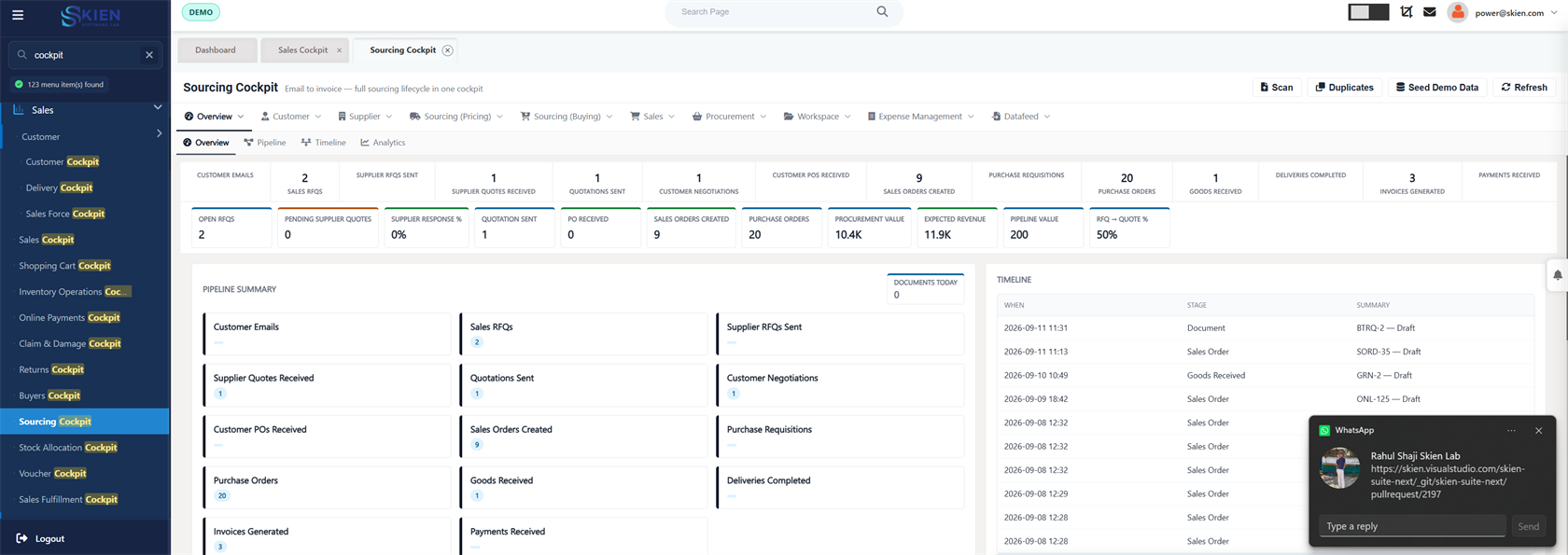
Catalog, price management, purchase, stock transfers, and a sourcing cockpit on one item master.
Categories, brands, families, bundles, and price lists are the item the shopper and the cashier both see. Cart charges sit beside the price.
A requisition becomes an RFQ or a tender, then a purchase order, a goods receipt, and a purchase invoice. Returns request their own document.
Branch transfers, reservations, stock verification, and damage movement write the quantity the warehouse is counting.
The office follows a sourcing request from stage to stage, with the funnel and the documents already raised.
Buyers work the open purchases without leaving the item, the supplier, and the branch.
Open one product and see the stock, the movement, and the documents around it.
These features use the same orders, people, and stock.
The item master is the same record the shop, the warehouse, and the purchase desk post against.
Schedule a call